
A Guide to Wiping Your Slate Clean: How to Delete a World in Palworld
Learn how to delete a world in Palworld with this easy, step-by-step guide. Permanently erase your digital adventures safely and efficiently.
Let's face it, fellow Pal-tamers of 2026, we've all been there. You're bursting with excitement, fire up Palworld, and plop your first base down with the strategic foresight of a hyperactive toddler. Maybe it's in the middle of a barren wasteland with nary a berry bush in sight. Perhaps you built your grand fortress directly atop a sleeping Jetragon's nest (rookie move). Suddenly, that shiny new world feels less like a land of opportunity and more like a digital albatross around your neck. The good news? Pocketpair, in their infinite wisdom, has provided a cosmic-sized 'undo' button for such catastrophes. The process of deleting a world is straightforward, but it carries the finality of saying goodbye to a Palsphere full of your favorite creatures—permanently.
The Main Event: Saying Goodbye from the Main Menu 🗑️
The primary and speediest method to send a world into the digital void resides right within the game's main menu. It's a simple affair, but one that demands your full attention because, let's be clear: there is no recovery bin, no backup save, no magical Pal to resurrect your lost progress. Once you confirm, every meticulously placed wall, every loyal Pal, and every hard-earned resource in that specific world vanishes faster than a Depresso after its morning coffee. Ready to take the plunge? Here’s your step-by-step guide to digital annihilation:
-
Launch the Game. Fire up Palworld and brace yourself on the title screen.
-
Hit 'Start Game'. This is the big, usually glowing button that beckons you forward. Click it without fear (or with a little, that's healthy).
-
Enter the World Select Screen. Behold! A list of all the worlds you've ever created, each a monument to your past ambitions (and mistakes).
-
Choose Your Victim. Scroll through and select the world you wish to obliterate. Pro tip: If you have multiple worlds named "Test" or "Oops," double, maybe triple-check which one you're selecting. You don't want to accidentally delete your 200-hour masterpiece.
-
Spot the 'Delete World' Button. Once a world is highlighted, look to the bottom of the menu. Among the options, you'll find the ominous, yet liberating, 'Delete World' button. Give it a click.
The Point of No Return: Typing Your Final Goodbye ⌨️
This is where things get serious. The game doesn't just let you haphazardly erase hundreds of hours of work. Oh no, it makes you work for it—in a very specific, caps-lock kind of way.
-
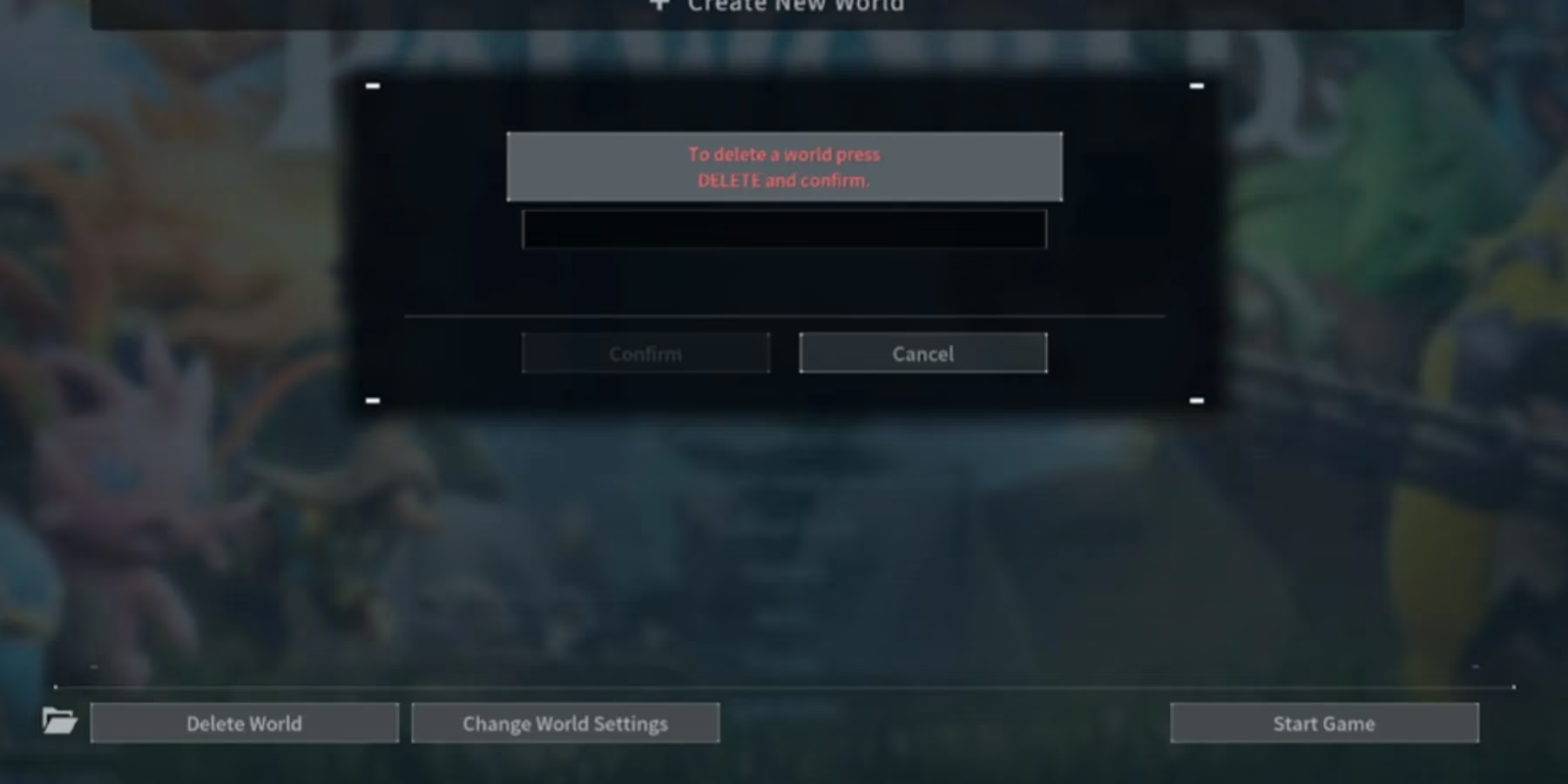
A new window will pop up, featuring a stark input field and two buttons: Confirm and Cancel.
-
To proceed, you must type the word DELETE into that field.
-
Here’s the crucial, all-caps catch: Every single letter must be capitalized.
deleteorDeletesimply will not do. It has to beDELETE. The game is essentially asking, "ARE YOU SHOUTING-SURE?"
Only when you've correctly shouted DELETE into the void will the Confirm button light up, taunting you with its newfound clickability.
The Final Verification: One Last Chance to Chicken Out 🐔
Think you're done? Think again! Palworld, perhaps feeling a pang of guilt for enabling such destruction, throws up one final warning screen. This is your absolute last chance. The message will sternly remind you that the world will be completely erased with no possibility of restoration. No take-backsies. No "oops, my cat walked on the keyboard."
If your resolve is steel (or if that base location was just that bad), click Confirm one more time. And just like that... poof. In a matter of seconds, the world is gone, freeing up that precious disk space and lifting the weight of a poor decision off your shoulders.
Why Bother? The Philosophy of the Fresh Start 🌱
So, why go through this ritual of digital deletion? The reasons are as varied as the Pals themselves:
| Reason | Explanation |
|---|---|
| Botched Beginnings | A terrible starting location can hamper your progress for dozens of hours. Sometimes, a clean slate is the most efficient fix. |
| The Experimental Playground | Want to test a crazy building idea or see how fast you can beat a tower boss with underleveled Pals? Create a throwaway world, go nuts, and delete it afterward without cluttering your main save. |
| Storage Management | Worlds, especially advanced ones, can take up significant storage space. Deleting old, unused worlds helps keep your hard drive tidy. |
| Roleplay Resets | Feel like starting a new journey as a villainous Poacher or a pacifist Farmer? A new world is the perfect canvas for a new story. |
In the ever-evolving landscape of Palworld in 2026, where new islands and Pals are still being discovered, the power to delete is as important as the power to create. It’s a tool for curating your experience, managing your resources, and, most importantly, recovering from those glorious, hilarious failures that make the journey so memorable. Just remember to type in all caps. The game's listening.