
Palworld Dedicated Server Guide: Admin Commands and How to Use Them
Palworld dedicated server admin commands empower hosts with ultimate control, enhancing private multiplayer and world-building experiences.
In the expansive world of Palworld, one of the most powerful tools at a player's disposal is the ability to create and manage a dedicated server. This feature allows players to craft a persistent game world exclusively for themselves and their chosen friends. By hosting a private server, players can explore, build, and adventure without the unpredictable interference of random public players who might attack their bases or disrupt their carefully laid plans. While public servers offer their own chaotic brand of fun, the dedicated server provides a controlled, stress-free environment tailored for cooperative play and long-term world-building, making it an essential feature for many in the Palworld community as of 2026.
Beyond the fundamental benefit of a private sanctuary, dedicated servers come equipped with a powerful suite of administrative commands. These commands, entered directly into the game's chat interface, grant server hosts god-like control over their world. With a simple forward slash and a keyword, hosts can spawn items, manipulate time, teleport players, and much more. Understanding this toolkit is key to customizing the multiplayer experience, which is precisely why a comprehensive guide to these commands remains invaluable.

Here is a complete list of the essential server admin commands available in Palworld and their functions. Remember, any text within brackets [ ] must be replaced with specific, relevant information when typing the command.
Core World & Player Management Commands:
-
/Shutdown [Seconds] [MessageText]- Schedules the server to shut down after a specified number of seconds, optionally broadcasting a message to all players. 🚨 -
/Broadcast [MessageText]- Sends a global message to every player on the server. -
/KickPlayer [SteamID]- Removes a specific player from the server using their unique Steam ID. -
/BanPlayer [SteamID]- Permanently bans a player from the server.
Player Cheats & Utilities:
-
/GiveItemToPlayer [ItemCode] [Count]- Grants a specified quantity of an item directly to your inventory. (e.g.,/GiveItemToPlayer Stone 100). -
/GiveItemToPlayerAll [ItemCode] [Count]- Gives an item to every player currently on the server. -
/SetPlayerHP [Value]- Instantly sets your character's health to the specified value. -
/SetPlayerSP [Value]- Instantly sets your character's stamina points. -
/SetPlayerEXP [Value]- Sets your character's experience points. -
/SetPlayerLevel [Level]- Immediately levels your character up or down to the specified level. -
/TeleportToPlayer [SteamID]- Instantly teleports you to the location of another player. -
/TeleportToMe [SteamID]- Teleports a target player directly to your current location.
World & Environment Control:
-
/SetTimeOfDay [Hour]- Changes the in-game time of day to a specific hour (0-23). -
/SetWeather [WeatherType]- Changes the current weather. Options includeClear,Cloudy,Rain,Snow, etc. -
/SummonPal [PalCode] [Level] [Gender]- Spawns a specific Pal creature near you. The gender parameter is optional. -
/DestroyAllEnemies- A powerful command that instantly eliminates all hostile creatures in the vicinity.
It's crucial to note that these powerful tools come with specific requirements and limitations. Console commands are exclusively available on the Steam version of Palworld when playing on a player-hosted dedicated server. They cannot be used on public community servers, as that would unfairly impact other players' experiences. Furthermore, as of 2026, these commands remain unavailable on the Game Pass (Microsoft Store/Xbox) version of the game due to platform restrictions.
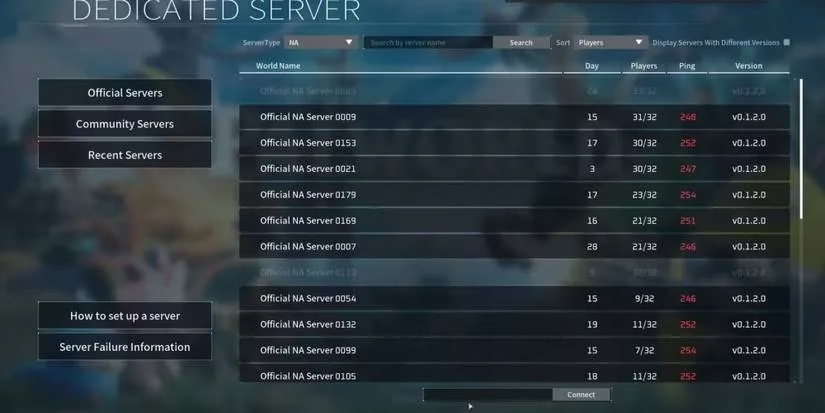
The process of using these commands is straightforward. First, ensure you are the host or an admin on a dedicated server. During gameplay, simply press the Enter key to open the chat box. Every command must begin with a forward slash (/). Type the desired command, replacing any placeholder text with actual values, and press Enter again to execute it. The effect is usually immediate.
Mastering the dedicated server and its admin commands unlocks the full potential of Palworld's multiplayer. It transforms the game from a shared public space into a personalized, persistent world where friends can collaborate on massive projects, experiment with game mechanics, or simply enjoy a peaceful life among their Pals without external threats. Whether used for practical management, creative experimentation, or just a bit of fun, these commands are the key to tailoring the ultimate Palworld experience for you and your friends.